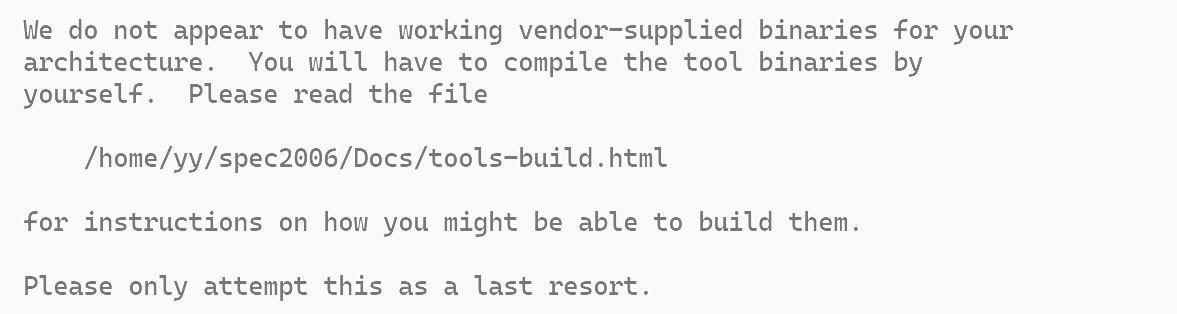
在像申威这样的自有架构上使用spec2006/2017时,由于在使用一种不会被这些主流平台的配置文件所识别的特有架构(而且往往会搭配自有的操作系统及工具链),spec的编译与安装往往无法开始。此外,如果系统的工具链环境如果出于某些开发原因出现变化,导致动态链接库等运行环境发生变动,也可能导致编译好的工具无法正常使用(此时往往提示cannot execute: required file not found)。此时,可能需要为当前的系统环境手动编译工具。
众所周知完整完成一套软件的编译一般不是一个顺利的事,特别是在独特架构的环境下,且存在各种变动的开发环境中。这里记录这次对spec2017整个编译过程中遇到的各种问题。
运行install.sh时出现Can’t find the top of your CPU2017 tree!
可以通过 Shell 的调试模式查看脚本到底卡在哪一步路径检测上。执行:
sh -x ./install.sh观察输出中最后几行关于 TOP 或 SPEC 变量赋值的部分。你会看到它尝试进入哪个目录失败了,或者哪个 if [ ! -d ... ] 条件没通过。
这里遇到的情况:
+ is_spec_dir .
+ '[' x. '!=' x ']'
+ '[' -d ./tools/bin ']'  <-- 检查是否存在 tools/bin 目录
+ '[' -x ./bin/harness/runcpu ']' <-- 检查 bin/harness/runcpu 是否有执行权限
+ '[' . '!=' . ']'
+ SPEC=                   <-- 校验未通过,SPEC 变量被置空
脚本认为一个目录是 “SPEC Tree Top” 的必要条件之一是:bin/harness/runcpu 这个文件必须存在且具有可执行权限 (-x)。
这里遇到的是权限问题,这里我是从别处拷贝了一份spec2017的源码做编译。当从压缩包解压或者是从非 Linux 原生文件系统(如 Windows 的 NTFS 磁盘)拷贝过来时,权限往往会丢失。在 SPEC 根目录下执行:
chmod -R +x bin/ tools/然后再次运行 ./install.sh。
spec工具编译所用源码包
编译及使用的过程在官方文档中Building Tools – CPU 2017有介绍。在$SPEC/Docs目录中有离线html文档。
spec工具源码在$SPEC/tools/src目录下或$SPEC/install_archives目录下的tools-src.tar压缩包中。在src目录下应有如下内容:
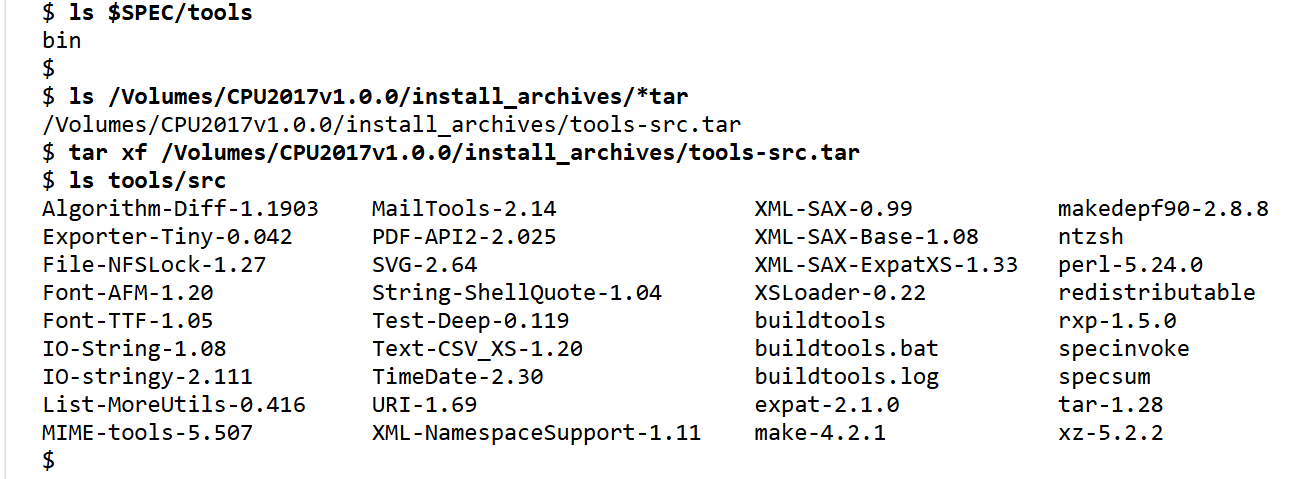
执行脚本buildtools以进行编译。(编译前记得备份。)
执行buildtools编译时出现configure: error: cannot guess build type; you must specify one
这个错误本质上是因为 SPEC CPU 2017 内置的 config.guess 脚本无法识别当前使用的 Linux 内核或 CPU 架构。通常情况下,是由于所使用的 config.guess 过旧而无法识别当前架构版本。但当我们使用自有架构时显然不能指望它能自动识别。
SPEC 的 buildtools 脚本会依次进入 tools/src 下的各个子项目(如 make, perl, tar 等)并调用它们的 configure。
解决这一问题的办法包括修改 ,或者修改各个子项目源码中的config文件。buildtools 脚本中各个子项目编译时引入的configure参数
对第一种方案可以尝试:
./configure --build=aarch64-unknown-linux-gnu [其他原有参数]具体的架构字符串建议参考 gcc -dumpmachine 的输出,即使是自有架构,通常也可以映射到一个最接近的标准 GNU 架构名上。
需要修改的工具包括如下:
find . -name config.guess
./expat-2.1.0/conftools/config.guess
./make-4.2.1/config/config.guess
./specsum/build-aux/config.guess
./specinvoke/config.guess
./xz-5.2.2/build-aux/config.guess
./tar-1.28/build-aux/config.guess
./rxp-1.5.0/config.guess
但是这一方案在这里没有成功,提示为configure: error: /bin/sh config/config.sub sw_xxxxx-linux failed,不确定是否存在操作或参数输入不当。
另一方案是借助于系统中有的其他软件中的能识别当前架构的构建工具,把系统中为本系统设计好的相关config文件拿过来覆盖这里的工具源码中的文件。
# 寻找系统里的 config.sub和config.guess
find /usr -name config.sub
find /usr -name config.guess
#!/bin/bash
# 定义源文件路径(openEuler 系统自带的版本)
SRC_GUESS="/usr/lib/(the dir we find)/config.guess"
SRC_SUB="/usr/lib/(the dir we find)/config.sub"
# 检查系统源文件是否存在
if [[ ! -f "$SRC_GUESS" || ! -f "$SRC_SUB" ]]; then
echo "错误: 找不到系统源文件 $SRC_GUESS 或 $SRC_SUB"
exit 1
fi
echo "开始替换 SPEC2017 tools/src 下的架构识别脚本..."
# 1. 查找当前目录下所有的 config.guess 并替换
find . -name "config.guess" -type f | while read -r target; do
echo "正在替换: $target"
cp -f "$SRC_GUESS" "$target"
chmod +x "$target"
done
# 2. 查找当前目录下所有的 config.sub 并替换
find . -name "config.sub" -type f | while read -r target; do
echo "正在替换: $target"
cp -f "$SRC_SUB" "$target"
chmod +x "$target"
done
echo "------------------------------------------------"
echo "全部替换完成!请重新尝试运行 ./buildtools"
configure: error: you should not run configure as root (set FORCE_UNSAFE_CONFIGURE=1 in environment to bypass this check)
绝大多数 GNU 工具(包括 SPEC 2017 内部调用的 make、tar、perl 的源码包)都会拦截 root 用户的直接编译操作。建议使用一个普通用户进行编译运行。spec的使用中涉及的大部分操作并不需要root权限。使用root权限生成的归属于root用户的文件还可能造成麻烦。
如果出现这种情况,转移文件所有权并重新编译的话可能会因为部分不清不楚的权限残留导致报错,最好让src目录处于开始编译前的样子重试一遍。
Attempt to free unreferenced scalar: SV 0x121b6ab00. Failed to build miniperl. Please run make minitest
Perl 解释器的内存管理冲突。与 Perl 中大量使用指针强转的情况有关。
类似的问题同样可能出现在spec中与perl直接相关的基准测试题500.perlbench_r (or 600.perlbench_s)上:
FAQ – CPU 2017 500.perlbench_r
spec给出了使用编译选项-fno-strict-aliasing的方案。
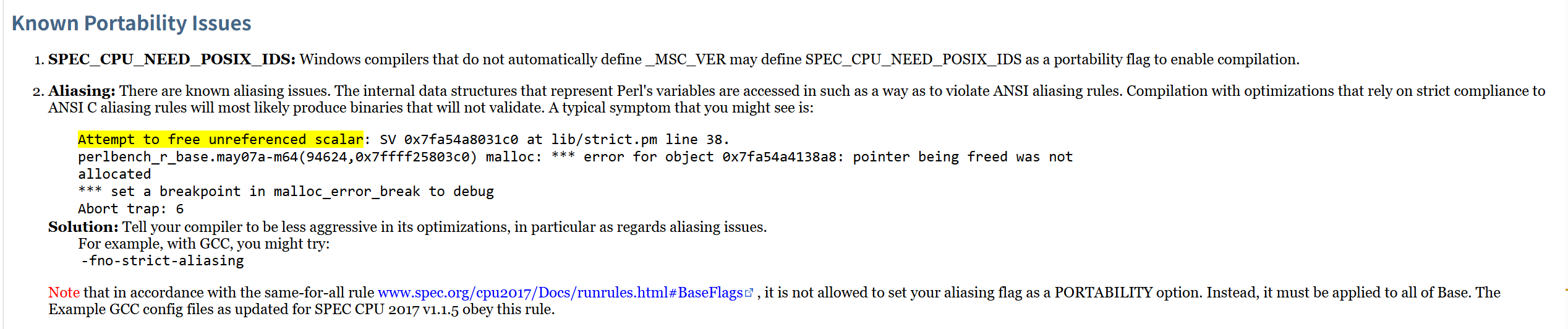
为此,在编译perl这一步中为其指定编译选项。为保证稳定性,这里选择尽量保守,只使用最基本的-O1和所需的-fno-strict-aliasing
    # CFLAGS="$ALLCFLAGS $PERLCFLAGS"; export CFLAGS
    # CPPFLAGS="$ALLCPPFLAGS $PERLCPPFLAGS"; export CPPFLAGS
    LDFLAGS="$ALLLDFLAGS $PERLLDFLAGS"; export LDFLAGS
    # try to fix
    PERLCFLAGS="-O1 -fno-strict-aliasing"
    PERLCPPFLAGS="-O1 -fno-strict-aliasing"
    CFLAGS="$PERLCFLAGS"; export CFLAGS
    CPPFLAGS="$PERLCPPFLAGS"; export CPPFLAGS
    LD_LIBRARY_PATH=`pwd`
    DYLD_LIBRARY_PATH=`pwd`
    export LD_LIBRARY_PATH DYLD_LIBRARY_PATH
    ./Configure -dOes -Ud_flock $PERLFLAGS \
                -Ddosuid=undef \
                -Dprefix=$INSTALLDIR \
                -Dd_bincompat3=undef \
                -A ldflags=-L${INSTALLDIR}/lib \
                -A ccflags=-I${INSTALLDIR}/include \
                -Uuse5005threads\
                -Uuseshrplib \
                -Duserelocatableinc \
                -Doptimize='-O1 -fno-strict-aliasing'\
                -Dnoextensions=B-Debug,B-Lint,CPAN,CPANPLUS,CPANPLUS-Dist-Build,DB_File,Devel-PPPort,IPC-SysV,Locale-Codes,Locale-Maketext-Simple,Pod-LaTeX,Sys-Syslog,Term-ANSIColor,Term-Cap,Term-UI,B,Devel-Peek,Devel-SelfStubber,GDBM_File,I18N-Langinfo,NDBM_File,ODBM_File,VMS-DCLsym
    testordie "error configuring perl"
    $MYMAKE; testordie "error building Perl"
    ./perl installperl; testordie "error installing Perl"
在编译完成perl并进行测试时,可能会出现少部分测试项不通过并询问是否敲“y”忽略,一般不会有太多,直接忽略,本人看到的只有一个不通过,还没有发现影响。
!!! error running TimeDate-2.30 test suite
TimeDate-2.30 模块的测试出现错误,导致脚本退出。
这里碰到的情况是TimeDate的测试全部不通过,或者说没有成功启动。
t/getdate.t (Wstat: 0 Tests: 0 Failed: 0)
Parse errors: Bad plan. You planned 146 tests but ran 0.
Files=5, Tests=362, 0 wallclock secs ( 0.18 usr 0.01 sys + 0.39 cusr 0.01 csys = 0.59 CPU)
Result: FAIL
Failed 1/5 test programs. 0/362 subtests failed.
make: *** [Makefile:965: test_dynamic] Error 255
+ testordie 'error running TimeDate-2.30 test suite'
+ test 2 -ne 0
+ echo '!!! error running TimeDate-2.30 test suite'
!!! error running TimeDate-2.30 test suite
+ '[' -z '' ']'
+ kill -TERM 359427
+ exit 1
!!!!! buildtools killed
尚不确定引发这一错误的具体原因,不过这个辅助库,已经perl核心编译完成之后所编译的大部分辅助库对于spec本身的使用都没有太重要的影响,可以在buildtools脚本中将测试这部分的通过条件加上一个|| true,不论其通过与否直接继续进行。
buildtools脚本中在perl编译之后的,编译perl各辅助库的部分:
if [ -n "$DOPERL2" ] || [ -z "$SKIPPERL2" ]; then
    # SPECPERLLIB needs to be set to build the Perl modules
    setspecperllib
    env | grep SPECPERL
    [ -f libnet.cfg ] && cp libnet.cfg libnet-*
    # Arrange for the Font::AFM tests to be able to find fonts
    METRICS=`pwd`/../../bin/fonts
    export METRICS
    for i in \
        SVG-* \
        IO-stringy* \
        TimeDate-* \
        MailTools-* \
        Test-Deep-* \
        MIME-tools-* \
        IO-String-* \
        Font-TTF-* \
        PDF-API2-* \
        Text-CSV_XS-* \
        URI-* \
        XML-SAX-Base-* \
        XML-NamespaceSupport-* \
        XML-SAX-[0-9]* \
        Algorithm-Diff-* \
        Font-AFM-* \
        File-NFSLock-* \
        String-ShellQuote-* \
        XSLoader-* \
        Exporter-Tiny-* \
        List-MoreUtils-* \
# This line intentionally left blank
    do
      echo
      echo "================================================================"
      echo "=== Building $i"
      echo "================================================================"
      (cd $i
      set -x
      $INSTALLBIN/perl Makefile.PL -n; testordie "error making Makefile for $i"
      MAKEFLAGS= $MYMAKE install; testordie "error building/installing $i"
      # The tests are done after the install; because of the lib path munging,
      # the tests will actually use the installed modules.  It does not really
      # matter either way -- if the test fails, the whole run is scrapped.
      [ -f $i/spec_do_no_tests ] || ($MYMAKE test; testordie "error running $i test suite")
      )
    done
修改最后一句对测试结果做判断的条件使其始终为真:
[ -f $i/spec_do_no_tests ] || ($MYMAKE test || true;)chmod: cannot access ‘../../bin’: No such file or directory
如果没有在$SPEC/tools/src目录下执行安装脚本,就会出现脚本找不到输出最终二进制文件的目录而中止。因为脚本默认认为其执行在$SPEC之下两级的目录中,二进制文件的输出目标是spec根目录$SPEC/下的bin目录,如果脚本在../../中找不到一个bin目录它也不会自己创建一个而是直接报错。
所以,在对应位置创建一个bin或者在$SPEC之下两级的目录中运行就是。
使用编译完成的工具
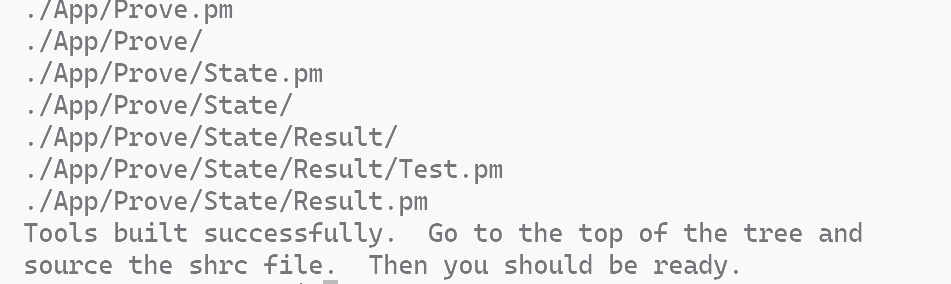
完成以上所有编译后,回到$SPEC目录使用. ./shrc
注意:如果你的工具文件是通过手动 cp 过去的,而没有经过 ./install.sh 的正规安装流程(比如如果在上一步里发现使用了不正确的运行路径导致生成的文件没有直接输出到$SPEC/bin),使用runcpu时可能出现校验不通过的情况:
Reading file manifests... read 32327 entries from 2 files in 0.26s (122252 files/s)

Part of the tools (/home/yy/spec2017/bin/specinvoke) is corrupt!
Aborting...
此时尝试使用packagetools <archname>打包应用于当前架构的工具包,具体同样包括在Building Tools – CPU 2017中。这会在spec的tools目录下生成用于当前架构的工具:
    $SPEC/tools/bin/<archname>/specxz
    $SPEC/tools/bin/<archname>/spectar
    $SPEC/tools/bin/<archname>/specsha512sum
    $SPEC/tools/bin/<archname>/tools-<archname>.tar.xz
然后使用这个工具包运行install.sh执行spec2017的安装步骤。